Security cameras security is not really a camera problem. It is a system-design problem involving visibility, network performance, privacy, lighting, storage, and what happens when an alert arrives at 2:00 a.m. During a renovation, the most important decisions happen before drywall closes the walls. A clean installation can disappear into the architecture and quietly protect the property for years. A rushed installation often becomes a collection of disconnected apps that nobody checks after the first month.
Start with the property, not the product
The first step in security cameras security planning is to map movement around the home. Identify the main pedestrian approaches, driveway, side gates, garage doors, rear patio, pool area, and any transition between public and private space. The goal is not to record every square foot. It is to create useful lines of sight where an event is likely to begin.
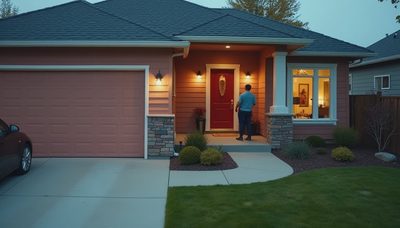
A front-door camera should show a visitor's face without making the entry feel like a commercial facility. A driveway camera should capture vehicles and people approaching, while a side-yard camera should cover the narrow passage that is easy to overlook. At a larger property, long-range views and close identification views should be treated as separate jobs. One wide camera can establish context; another tighter camera can provide useful detail.
During rough-in, plan for cable routes, service access, and future replacement. I generally prefer hardwired network connections for fixed cameras because they avoid battery maintenance and reduce dependence on a crowded wireless network. Power-over-Ethernet can carry both data and power through one cable, simplifying the installation and keeping equipment organized in a structured wiring location.
Image quality is more than resolution
Many homeowners begin with a resolution number, but security cameras security depends more on the entire image under real conditions. A camera that looks excellent in bright afternoon light may produce a poor result when a porch light is behind the subject or headlights enter the frame at night.
Pay attention to dynamic range, infrared performance, lens angle, and placement height. A very wide lens covers more area but can make a person appear too small for identification. A narrow lens gives better detail at a specific distance but leaves blind spots. For a driveway, test the intended view from the camera's actual mounting position rather than judging a sample image on a showroom screen.
Lighting should be part of the design. Soft, consistent entry lighting is usually more useful than a harsh motion floodlight that creates deep shadows and causes neighbors to complain. Landscape lighting, step lights, and architectural fixtures can improve both safety and image quality when they are aimed carefully. In an integrated home, lighting scenes can also respond to a verified event without turning the entire house into a flashing alarm.
A camera should never be mounted where a roof edge, tree, decorative beam, or seasonal plant will block the view. I have seen expensive hardware made nearly useless by a beautiful but poorly considered landscape plan. The fix is simple during construction and expensive afterward.
Design privacy into the system
Good security cameras security protects the household without creating unnecessary exposure. Avoid pointing cameras directly into bedrooms, bathrooms, neighboring windows, or private outdoor areas. Digital privacy masks can help, but physical placement is the better first defense.
Footage should be encrypted in transit and protected with strong, unique account credentials. Enable multi-factor authentication wherever the platform supports it. Limit administrative access to the people who need it, and decide in advance how long recordings should remain available. Continuous recording can be useful at entry points, while motion-based recording may be more practical for a low-traffic side yard.
Storage choices involve a trade-off. Cloud recording can simplify remote access and replacement if local equipment fails, but it introduces recurring service costs and dependence on an internet connection. Local storage gives the homeowner more direct control and can continue recording during an internet outage, provided the network and backup power remain available. A hybrid approach is often sensible for a primary entrance and driveway.
Do not overlook the network. Cameras can create a meaningful amount of traffic, especially when several devices record high-quality video at the same time. A properly planned network separates important systems, uses reliable switching equipment, and includes backup power for the core connection. A small uninterruptible power supply can keep cameras and network equipment operating through a brief outage.
Make alerts useful instead of noisy
The difference between security cameras security that people trust and security they disable is usually alert quality. Nobody wants a phone notification every time a tree moves, a cat crosses the patio, or a delivery driver walks past the gate. Excessive alerts train residents to ignore the system.
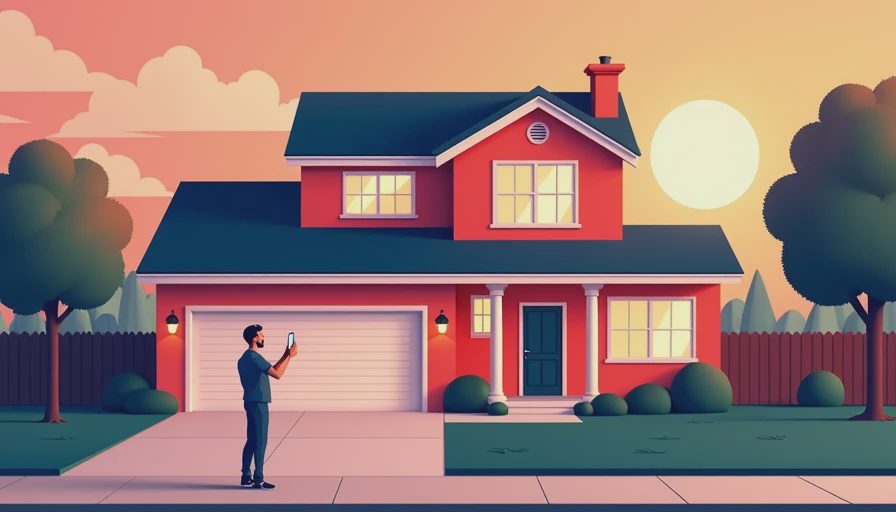
Set different rules for different areas. A front door may send a notification when a person is detected during overnight hours. A backyard camera may record motion without sending an alert unless the property is in away mode. A driveway alert could be useful when a vehicle arrives, but only during a defined schedule. These decisions should reflect the household's routine, not the default settings supplied by the manufacturer.
The best systems also distinguish between detection and response. A camera can identify activity, but the response might be a light turning on, a notification appearing on a touch panel, a short clip being saved, or a monitoring service receiving a signal. Not every event needs all four responses.
Integrate cameras with the rest of the home
Security cameras security becomes more practical when it works with lighting, locks, shades, climate, and access control. When the household leaves, the system can arm selected cameras, lock exterior doors, adjust lighting, and reduce unnecessary activity. When residents return, it can recognize the change in mode without requiring a separate sequence of app commands.
A camera should not automatically unlock a door simply because it detects a familiar face. That kind of automation creates more risk than convenience. Better integration might show a live entrance view on an in-wall display when the doorbell rings, illuminate the walkway after dark, or let a homeowner review a driveway clip from the same interface used for lights and climate.
Keep the user experience simple. If residents need three applications, two passwords, and a memorized sequence to check an event, they will use the system less. A well-designed interface exposes the few actions that matter and keeps advanced configuration out of daily operation.
Plan a system that remains serviceable
Before approving an installation, ask how cameras will be replaced, updated, and accessed five years from now. Confirm that cables are labeled at both ends, network equipment is documented, and the head-end location has ventilation and room for expansion. Leave spare conduit or at least a sensible pathway toward likely future camera positions.
Review image views at night, during rain, and with vehicles parked in normal locations. Test notifications from outside the property. Unplug the internet connection briefly and confirm what continues to record. Check whether a homeowner can export a clip in a standard format if it is ever needed.
The strongest security cameras security plan is not the one with the most devices. It is the one that gives the property clear coverage, protects privacy, produces alerts people understand, and remains maintainable after the novelty has faded. If you are building or renovating, bring the camera plan into the electrical and network drawings early. That is how the equipment becomes part of the architecture rather than an afterthought attached to it.