Security cameras are easy to buy and surprisingly easy to get wrong. I have seen beautiful Los Angeles homes with expensive cameras pointed at the wrong approach, wireless units losing connection through concrete walls, and alerts that homeowners stopped opening after the first week. The better question is not which camera has the sharpest image. It is how the cameras fit into the architecture, network, lighting, access control, and daily habits of the house.
For a renovation or new build, that decision belongs in the system design phase. Camera locations affect conduit, network wiring, ceiling details, exterior lighting, privacy, and the equipment rack. Treating them as an afterthought usually creates visible cables, limited angles, and compromises that are difficult to fix once drywall and stucco are finished.
Start with the property, not the product
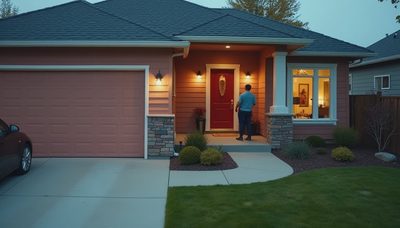
Walk the site at different times of day before selecting security cameras. Stand at the front walk, driveway, side gate, backyard, and service entrance. Ask what a person approaching the property should look like from each position. A wide view can show that someone is present, but a tighter view near a door is more useful for identifying a face or package.
I generally separate coverage into three layers. Perimeter views show movement along fences, driveways, and side yards. Arrival views cover the front door, garage, and primary pedestrian approach. Activity views cover places where an event matters, such as a pool gate, equipment yard, or rear terrace. One camera rarely does all three jobs well.
Height matters as much as resolution. A camera mounted too high may capture the top of a hat rather than a face. Too low, and it becomes vulnerable to tampering. Eaves and architectural overhangs can provide protection from rain and direct sun, but they can also create deep shadows. Exterior lighting should be designed with the camera view, not added later as a separate decision.
Plan the wiring while the walls are open
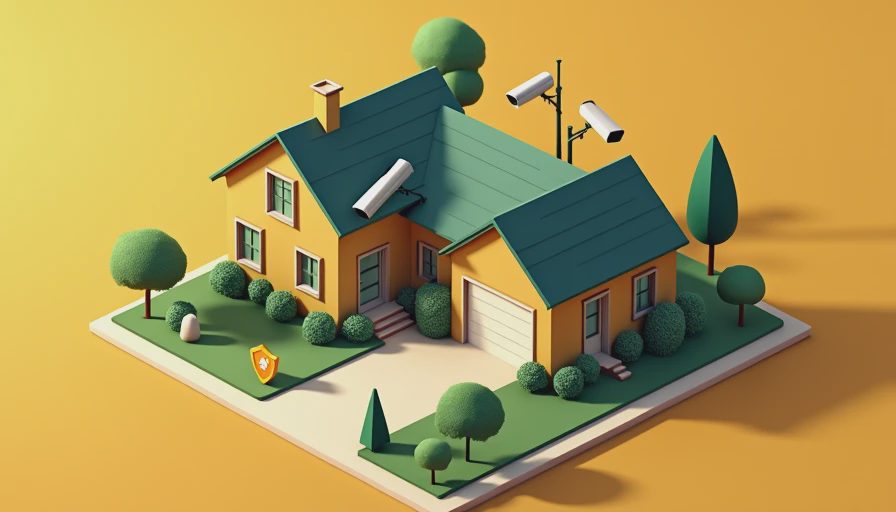
For a new build or major remodel, wired security cameras are usually the sensible foundation. Power over Ethernet allows one network cable to carry power and data, reducing the number of wires at each location. A properly planned system can also keep recordings on a local network video recorder rather than depending entirely on a cloud subscription.
Run cable from each camera location back to an accessible, ventilated rack or structured wiring cabinet. Leave service loops, label both ends, and install conduit where a future cable replacement would be difficult. I am especially careful around exterior walls, tall ceilings, and detached structures. The small amount of planning required during rough-in is far less disruptive than opening finished surfaces later.
Wireless security cameras have a legitimate role. They can suit a finished home, a temporary construction phase, or a location where wiring is genuinely impractical. They are not automatically the best answer for every opening. Brick, metal, plaster, distance, and crowded Wi-Fi channels can all affect reliability. A battery camera also introduces charging schedules, cold-weather performance concerns, and the possibility that someone disables it simply by removing the battery.
Recording is different from watching
A live view is useful when you want to check the driveway from a phone. Recording is what matters when an event happened overnight and nobody was watching. Decide how many days of footage the household actually needs, how recordings are protected, and who can retrieve them.
Security cameras can record continuously, on motion, or through a combination of both. Continuous recording creates a more complete timeline but uses more storage. Motion recording can reduce storage requirements, yet poor detection settings often produce gaps or floods of irrelevant clips. A vehicle passing on the street should not trigger a notification every thirty seconds.
Storage can be local, cloud-based, or hybrid. Local recording provides more control and avoids making every useful feature dependent on an ongoing subscription. Cloud storage can simplify remote access and preserve footage if the equipment inside the home is damaged. The right answer depends on the property, network design, retention needs, and the homeowner's comfort with recurring services.
Alerts should be rare enough to matter
The most common failure I see is notification fatigue. During commissioning, every alert feels useful. By year three, a homeowner may have muted the app because the system reports every tree shadow, delivery truck, and neighborhood cat. A camera that records quietly is still valuable, but an ignored alert has lost its practical purpose.
Use zones and schedules. A front-door camera can notify the household when a person enters the porch area, while a street-facing view records without notifying anyone. Pool and side-yard coverage may follow different rules when the house is occupied. Integrating security cameras with lighting can also improve the image and make an event easier to understand without turning the property into a constantly illuminated stage.
Avoid sending every alert to every person. One resident may want immediate notifications, while another only needs access to recorded clips. A good system gives the household control over urgency rather than treating every detection as an emergency.

Privacy belongs in the design brief
A camera system protects a home, but it also observes people. Avoid aiming cameras into neighboring windows, private outdoor areas, or spaces where household members reasonably expect privacy. Interior cameras deserve an even higher standard. In many homes, exterior coverage and door sensors provide enough information without placing cameras in bedrooms, living rooms, or other personal spaces.
Use individual accounts, strong passwords, multifactor authentication, and current firmware. Limit administrator access to the people who actually manage the system. If a service provider needs temporary access during commissioning, remove that access afterward. These are simple controls, but they matter more than buying a camera with another increment of image resolution.
Think about guests and staff as well. Clear household rules can prevent awkward situations, especially when interior or audio-capable devices are involved. Video and audio laws differ by jurisdiction, so a professional design should account for local requirements rather than assuming that a convenient setting is automatically appropriate.
Integrate security cameras with the house
A camera system becomes more useful when it knows what the rest of the home is doing. An access-control event can bring the relevant camera view to a touch panel. A doorbell press can announce at multiple locations. A nighttime driveway detection can activate a low-level path light, while a verified event can send a higher-priority message to the homeowner.
That does not mean every device needs to be tied together. Integration should reduce decisions, not create more screens. In one home, the best result may be a single dashboard showing doors, locks, lights, and cameras. In another, a dedicated security interface is clearer. The system should match how the household actually moves through the property.
A practical design review before rough-in
Before walls close, review the plan from the outside in. Confirm every approach is covered, including gates and service paths. Check the camera angle against doors, glare, landscaping, and expected lighting. Confirm cable routes, rack location, network capacity, storage, backup power, and remote access. Test a sample view at night rather than relying on a daytime rendering.
Then decide what the house should do when nobody responds. Should lights turn on? Should an access panel show the clip? Should a caretaker receive the notification? These responses are part of the system, not decorative automation.
Security cameras are valuable when they answer a clear question: who approached, what happened, and when? Start with that logic, run the infrastructure while access is easy, and choose equipment that can be maintained. The result will be quieter, more reliable, and far more useful than a collection of gadgets installed one emergency at a time.