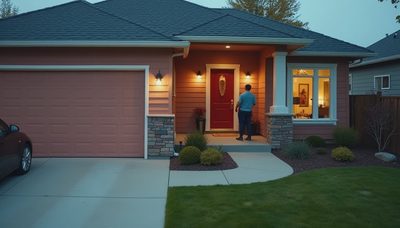
The search for security camera security camera usually starts with a simple concern: where should cameras go, and how can they protect a home without making it feel like a commercial property? In a renovation or new build, the answer is not a shopping list. It is a system decision involving sightlines, network infrastructure, lighting, privacy, storage, and the way alerts reach you.
I have seen homeowners install excellent cameras in the wrong locations, then discover that a bright porch light washes out the image or a decorative beam blocks the only useful angle. The hardware is rarely the hardest part. Good planning is.
Start with the property, not the product
A camera plan should begin with movement through the property. Walk the perimeter at night and identify the approaches a person would naturally use: driveway gates, side passages, rear doors, garage entries, and paths from the street. Then look at the interior transition points, such as the mudroom, stair landing, and entry hall.
The goal is not to record every square foot. It is to create useful coverage at decision points. A camera facing a side gate can show whether someone entered the property. Another aimed at the front walk can distinguish a delivery from a visitor. A wide camera pointed at the entire front yard often creates a lot of video but very little clarity.
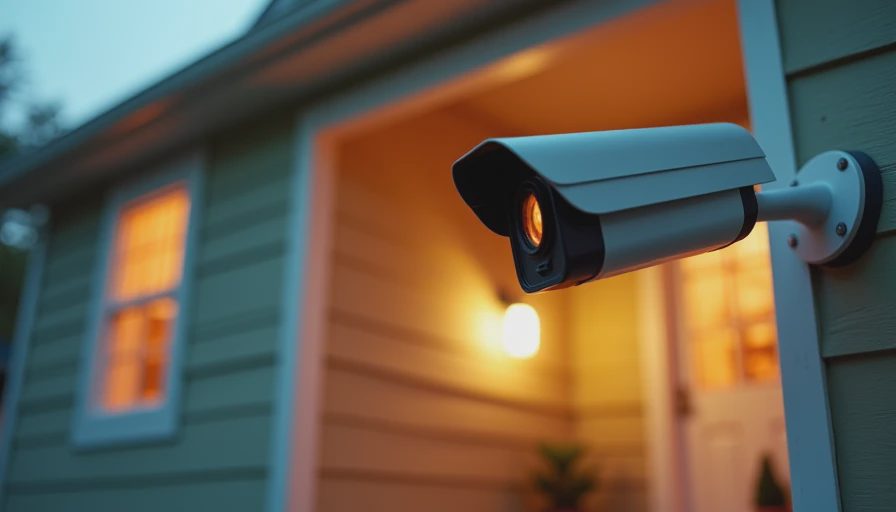
For a security camera security camera installation, height matters. Mounting too low gives someone an easy opportunity to damage the unit and creates an unflattering, low-angle view. Mounting too high can make faces difficult to identify. In many homes, an eave or soffit provides a practical compromise while keeping the equipment visually quiet.
Plan wiring before the drywall closes
Wireless cameras are convenient for an existing home, but convenience is not the same as resilience. A renovation is the moment to run permanent cable. Ethernet wiring to each camera location can support power over Ethernet, commonly called PoE, so one cable carries both network data and electrical power.
That approach reduces dependence on batteries and avoids the maintenance problem I routinely see after a few years: a camera stops recording because its battery was not recharged, its wireless signal weakened, or its outdoor enclosure degraded. If a camera is important, give it a dependable path back to the network.
Use weather-rated exterior cable, leave service loops above ceilings, and photograph every route before insulation covers it. A small network enclosure with room for a switch, recorder, and backup power is more valuable than a crowded cabinet that cannot be serviced. Label both ends of every cable. Future you, or the next integrator, will appreciate that ten-minute decision.
A security camera security camera plan should also account for network capacity. Several high-resolution streams can consume meaningful bandwidth, especially when the system records continuously. Separating security equipment from guest Wi-Fi with sensible network configuration improves reliability and makes troubleshooting less mysterious.
Image quality depends on the scene
Resolution is only one part of a useful image. A high-resolution camera pointed into the afternoon sun can perform worse than a modest camera positioned under a shaded overhang. Backlight handling, infrared performance, lens angle, and night illumination all deserve attention.
Avoid placing cameras directly opposite bright exterior fixtures. Instead, use warm, controlled pathway or architectural lighting to create an even scene. Motion-triggered floodlights can be useful at a remote driveway, but they are not always appropriate near bedrooms or neighboring properties.
Consider what you need to recognize. A wide lens may show that someone is at the front door, while a narrower lens preserves more facial detail. At a gate, identifying a vehicle and reading its approach may matter more than seeing the entire landscape. This is why a security camera security camera decision should follow the site plan rather than a megapixel comparison chart.
For interior cameras, ask whether the benefit is worth the privacy cost. Many homeowners need exterior coverage, doorbell visibility, and perhaps a camera in a garage or detached structure. They do not necessarily need cameras in living spaces. Privacy shutters, scheduled recording, and clear household rules are better design tools than hoping nobody feels watched.
Integrate alerts with the rest of the home
A camera system becomes more useful when it communicates clearly with lighting, locks, and a central control interface. A person at the side gate might trigger a path light and send a short notification. A verified delivery at the front door might activate a porch scene without setting off a full-home alarm.
The important word is verified. If every motion event produces a phone alert, residents quickly silence notifications. Wind-blown branches, passing headlights, pets, and shadows create enough activity to make an unfiltered system exhausting. Use zones, schedules, and event rules so an alert means something.
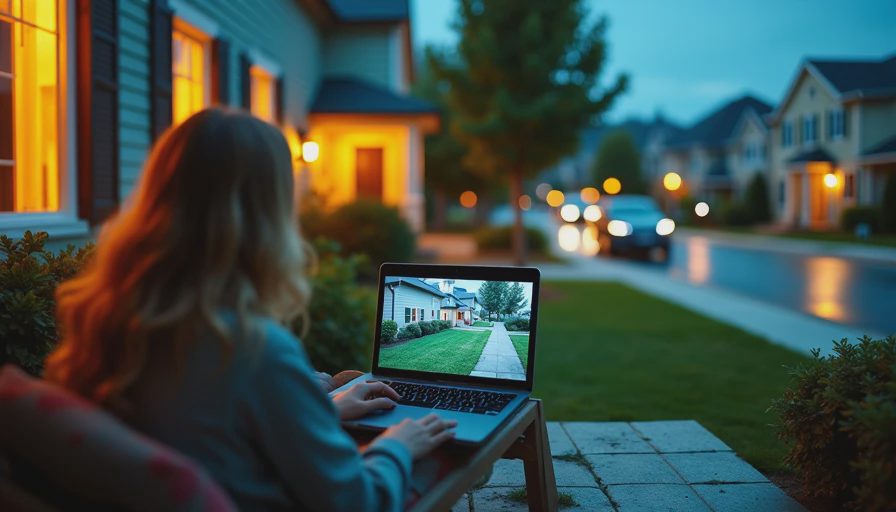
A security camera security camera setup can also provide a live view on an in-home panel, television, or phone. That does not mean every screen should show cameras all day. A useful interface gives access when needed, then gets out of the way. The best smart home is not the one with the most visible technology; it is the one that reduces decisions.
Storage, access, and privacy deserve equal weight
Decide where recordings live before selecting equipment. Cloud storage can simplify remote access and maintenance, while local recording can offer more control over retention and network independence. Some systems combine both. The right choice depends on how long you need footage, who needs access, and what happens if the internet connection fails.
Use unique passwords, current firmware, and multi-factor authentication where available. Limit administrative access to the people who actually need it. If a contractor, house manager, or family member receives access, establish a process for removing that access later.
Retention should be intentional. Keeping every video indefinitely increases storage needs and creates more material to protect. A short rolling window may be enough for a residence, while a remote property or construction site may justify longer retention. Document the policy so it does not become an accidental default.
When planning security camera security camera coverage near property lines, keep neighboring windows and private outdoor areas out of frame whenever possible. Good design protects your home without turning the camera into a source of conflict.
A practical commissioning checklist
Before the system is signed off, test it in daylight, darkness, and rain if possible. Walk every approach and confirm that the relevant camera captures a usable face or vehicle view. Check that exterior lighting does not overwhelm the image. Disconnect the internet briefly and verify what remains available locally.
Then test the human experience. Send a notification to each intended user. Confirm that names, timestamps, and camera labels make sense. Open a live view from the control interface, review a recorded event, and check that alerts do not arrive for harmless activity every few seconds.
Inspect the physical installation as well. Camera housings should be stable, cable penetrations should be sealed, and equipment should remain reachable for service without damaging finished surfaces. Photograph the final angles and save the configuration documentation with the home records.
This is where a security camera security camera project either becomes dependable infrastructure or remains a collection of gadgets. The difference is commissioning, not marketing language.
Build for the home you will use in year three
At the three-year mark, homeowners rarely complain that their system lacks one more feature. They complain when cameras need constant charging, alerts are meaningless, or nobody remembers how to retrieve an event. Design around those realities. Use permanent wiring where practical, place cameras for specific decisions, protect privacy, and connect notifications to lighting and access control with restraint.
If you are still in design or rough-in, now is the inexpensive moment to map coverage and pull cable. A thoughtful security camera security camera system can remain quiet in the background while giving you clear information when it matters. That is the standard I aim for: security that supports the architecture and the people living in it, rather than announcing itself in every room.