If you are renovating or building, home security cameras should be part of the electrical and low-voltage plan, not an afterthought added when the drywall is already finished. The best system is not the one with the most lenses. It is the one that gives you useful information, works with the rest of the house, and remains simple enough to use three years from now.
I have seen homeowners buy attractive wireless products, place them wherever an outlet happens to be available, and then discover that the front approach is poorly covered, the backyard image is washed out at sunset, or the camera disconnects when the network is busy. A little planning behind the walls solves most of those problems before they become expensive repairs.
Start With Coverage, Not Products
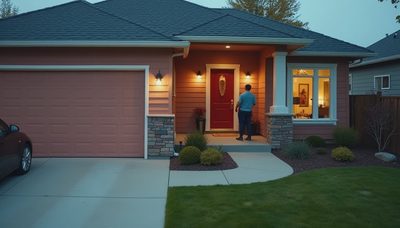
The first design question is not which camera to buy. It is what you need to see. Walk the property at different times of day and identify arrival paths, gates, side yards, garages, detached structures, pool areas, and doors that are hidden from the street. Home security cameras should show faces and movement, not simply produce a wide image of a driveway.
A front camera mounted too high can show a hat and shoulders but not a visitor’s face. A camera aimed directly at a sunny western wall can lose detail during late afternoon. A side-yard camera with a narrow lens may miss someone moving across the frame. These are layout problems, not software problems.
For most homes, I prefer a small number of deliberate viewpoints over a ring of overlapping devices. A doorbell or entry camera handles the approach. Dedicated views cover the driveway and primary rear access. Additional cameras are justified where the property shape, landscaping, or detached buildings create a genuine blind spot.
Plan the Wiring During the Rough-In
If the walls are open, run cable even if you intend to use wireless home security cameras. A wired network connection provides a more stable path for high-resolution video and avoids dependence on the strength of a distant access point. The cable also gives you options later if a product line changes or a homeowner wants local recording.
Use a central, accessible location for network equipment and recording hardware. That space needs ventilation, reliable power, and enough room for service. Do not bury the network switch behind a finished wall or stack it in a hot attic. A smart home is still an electrical and communications system, and heat, moisture, and inaccessible equipment are predictable failure points.
At each planned location, leave enough cable slack for a clean installation and future adjustment. Coordinate camera positions with roof overhangs, lighting fixtures, trees, and window coverings. A beautiful architectural elevation can be compromised by a camera mounted as an afterthought, while a camera hidden too aggressively can lose its field of view.
Choose the Right Connection and Recording Model
There are three practical approaches: wireless cameras connected to the home network, wired network cameras powered through the same cable, and professionally integrated systems that connect cameras, recording, alerts, and other subsystems. None is universally correct. The decision depends on construction access, property size, privacy expectations, and how much control you want over recordings.
Wireless home security cameras can be sensible in a finished condo, rental, or small renovation where opening walls is not realistic. They are fast to deploy and easy to relocate. Their weak points are radio congestion, battery maintenance, and dependence on a strong network at every mounting point. Battery-powered units are especially easy to forget until the alert arrives after the battery is already depleted.
For a new build or substantial renovation, wired cameras usually provide the stronger foundation. They can receive power and data through one network cable, and a central recorder can keep footage available even when an internet connection is interrupted. Cloud recording can still be useful for remote access, but it should not be the only path to important video.
Connect Cameras to the House, Carefully
Home security cameras become more useful when they are connected to lighting, access control, and notifications, but integration should follow a clear logic. A person approaching the front door might trigger a discreet entry light and a notification. A gate opening at an unusual time might create an event in the same app used for the door lock. Those connections reduce the number of separate systems a homeowner has to monitor.
Avoid turning every motion event into a full-house alarm. Trees moving in wind, headlights crossing a driveway, and pets moving through a yard can generate constant alerts. Use zones, schedules, and object filtering where the platform supports them. A camera should provide context; it should not make the homeowner dismiss notifications until the useful ones disappear into the noise.
Privacy also deserves a design decision. Avoid aiming cameras into neighboring windows or private interior spaces. For indoor coverage, consider whether the benefit is worth the loss of privacy and the additional account security required. Exterior views are often enough for arrival awareness and perimeter visibility.
Design for Night, Weather, and Real Life
A daytime demonstration is not a security design. Test the view after dark, in rain, and with exterior lights operating. Infrared illumination can reflect off a nearby wall or glass and turn a useful image into a white haze. Bright landscape lighting can create deep shadows where a person’s face should be visible.
Home security cameras should be mounted under suitable protection when possible, but an overhang does not eliminate weather exposure. Use equipment rated for the location and provide a service path for replacement. Salt air, dust, irrigation spray, and direct sun all shorten the life of outdoor hardware. In Los Angeles, a camera pointed toward a low western horizon can face intense heat and glare for years.
Keep landscaping in the conversation. A shrub that looks small on planting day can cover a lens within a season. Coordinate with the landscape plan so future growth does not block a gate, walkway, or driveway view.
What Usually Fails by Year Three
The common failure is not necessarily a dead camera. It is a system that has become irritating. Homeowners stop opening five different apps, ignore repetitive alerts, and forget which device covers which part of the property. A camera that technically works but produces no useful action is not a successful installation.
Home security cameras also fail as part of a system when nobody documents them. Label network ports, identify recording equipment, save administrator access securely, and record the intended view for each camera. If a service technician replaces a network switch or a homeowner changes the Wi-Fi password, that information can prevent a long troubleshooting session.
Choose retention deliberately. Continuous recording, event-only recording, and local storage each have trade-offs in capacity, access, and privacy. The right choice is the one that matches how you would actually use footage after an incident, not the one with the most impressive specification sheet.
A Better Planning Conversation
Before construction, ask your designer or integrator to show camera sight lines on the floor plan and exterior elevations. Confirm mounting heights, cable routes, network location, power backup, recording method, and the notification experience. Walk through ordinary scenarios: a package arriving, a child coming home, a gate opening, a delivery vehicle entering, and a false alert caused by wind.
Then decide what should happen automatically and what should simply be visible. A camera does not need to control every light in the house. Often, the best result is a clear exterior view, a quiet notification when something meaningful occurs, and one reliable interface for checking the property.
Home security cameras are most valuable when they disappear into the architecture and behave predictably. Plan them during the rough-in, connect them to a resilient network, and design around real human behavior. That approach produces less clutter, fewer alerts, and a security system homeowners will still trust long after the renovation is complete.