The debate over Wi-Fi versus hardwired is not a debate. It's a design hierarchy. The air is shared, noisy, and finite. A wire is a private lane. In every smart home I design, the decision about what gets cabled and what rides on wireless follows a single rule: if it lives in a fixed location and it matters, it gets a wire. Everything else gets Wi-Fi, and the Wi-Fi gets wires.
That last part is what most people miss. A robust wireless network depends on a robust wired backbone. Wireless access points need a hardwired connection back to the switch. A mesh node that talks to another mesh node over Wi-Fi is cutting its throughput in half before a single client connects. The industry sells mesh as a simple solution. It is simple. It is also, in any house larger than 1,500 square feet with more than two occupants, insufficient for a system that streams 4K video, carries security camera feeds, and runs a lighting processor that must not miss a command.
The Wired List: What Never Touches Wi-Fi
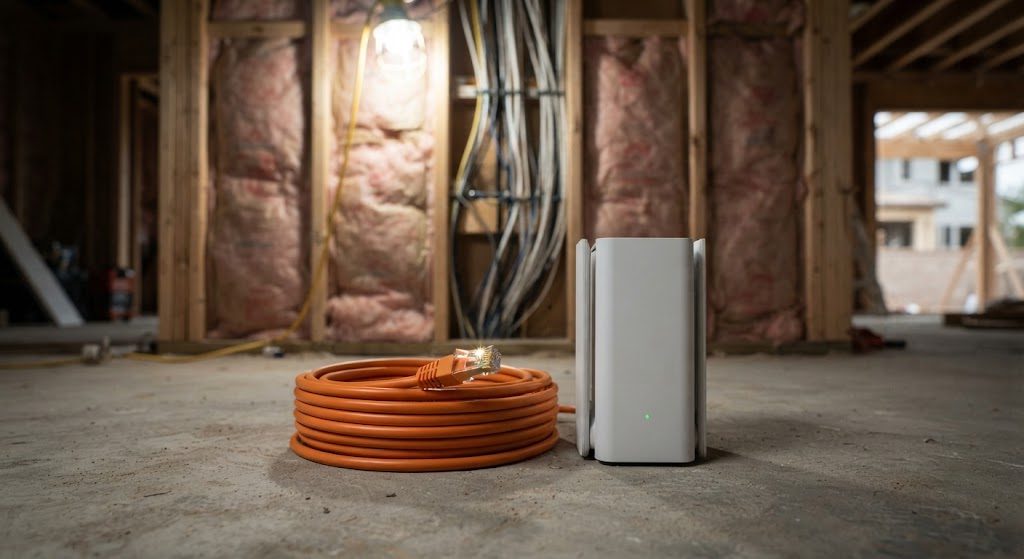
I start every network design with a hardwired list. These are the devices that get a dedicated Cat6 or Cat6a run back to the structured wiring panel, no exceptions. The list is short, but every item on it is a non-negotiable.
Security Cameras
A Wi-Fi security camera is a camera that will drop frames exactly when you need them most. I run Cat6 to every exterior camera location and use Power over Ethernet (PoE) to deliver both data and power over a single cable. A camera on a wire records 24/7 to a local NVR with zero compression artifacts from signal drops. A camera on Wi-Fi competes with every phone, tablet, and smart speaker in the house for airtime. In a system where the footage is the point, the wire is the only answer.
Wireless Access Points
An access point that connects to the network over Wi-Fi is a repeater, not an access point. A proper AP mounts to the ceiling and connects via Cat6 back to a PoE switch. One AP per 1,200 square feet, hardwired, with overlapping channels tuned so that a device roaming from the kitchen to the bedroom hands off without a stutter. I typically install four to six hardwired APs in a 4,000-square-foot home. The cost of those cable runs during rough-in is trivial compared to the cost of living with a flaky signal for five years.
The Processor and AV Gear
The smart home processor—the brain—sits in the rack and plugs into the switch with a patch cable measured in inches. Same for the NVR, the audio matrix, and every streaming box behind a TV. These devices are bandwidth hogs or latency-sensitive, or both. Plugging them in removes every variable except the switch's backplane, which is the most reliable component in the rack.
When Wi-Fi Is the Right Answer
I am not anti-Wi-Fi. I am anti-Wi-Fi-as-crutch. A well-designed wireless network, with a hardwired backbone and properly placed APs, handles the devices that must move.
Phones, Tablets, and Laptops
These devices will never have an Ethernet port, and they don't need one for their typical workloads. A modern Wi-Fi 7 network, backed by a 2.5-gigabit wired backbone, can deliver more throughput than most mobile devices can consume. The key is having APs close enough that the signal strength never drops below -67 dBm in any occupied room. That requires a site survey, not a box-store mesh kit.
Low-Bandwidth IoT Sensors
Door sensors, motion detectors, smart locks, and wireless shade motors operate on low-power protocols like Zigbee, Z-Wave, or Bluetooth Mesh. They don't need Ethernet. They don't even need Wi-Fi. They talk to a local hub that is itself hardwired to the network. The hub stays on the wire. The sensors float on their own mesh. That's the architecture that keeps fifty small devices from clogging your Wi-Fi airtime.
The ISP Router Trap
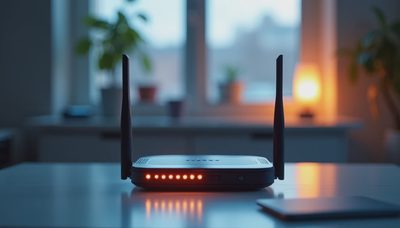
The single most expensive piece of advice most homeowners follow is "just use the one from the cable company." An ISP-provided router is a $12 device in a plastic box that handles routing, switching, and wireless in one underpowered, thermally throttled package. It is designed to support three devices streaming Netflix in a one-bedroom apartment. It is not designed for a house with 80 IP addresses, four video streams, and a lighting processor that expects a 2-millisecond response time.
What a Real Network Looks Like
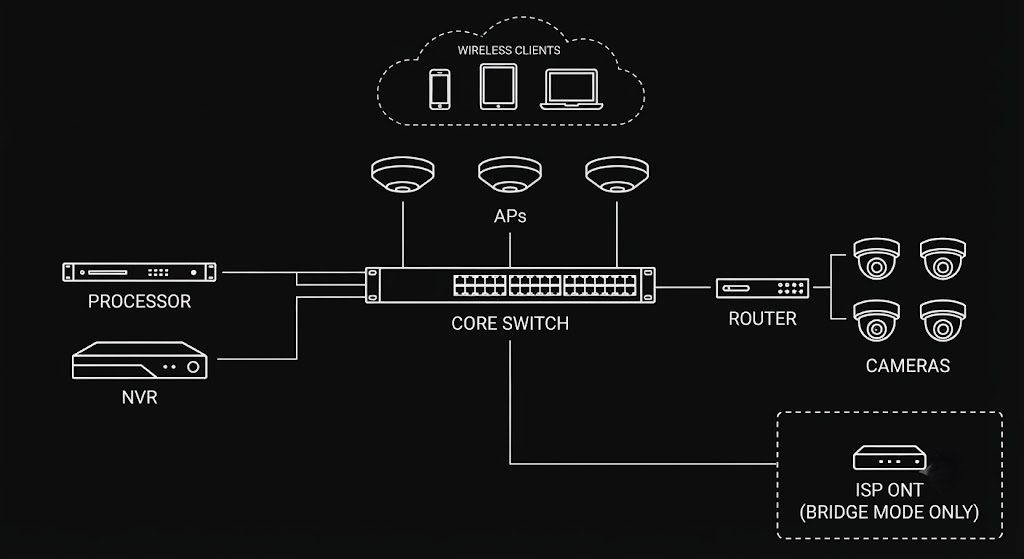
A proper smart home network separates the functions the ISP box crams together. A dedicated wired router or a small firewall appliance handles routing. A managed PoE switch connects everything in the rack and powers the APs and cameras. The access points handle wireless, and nothing else. A small UPS keeps the rack gear and the ONT running through brief outages. The ISP device sits in bridge mode, passing the public IP to your router and getting out of the way. This configuration costs more than an all-in-one box, but it is stable for years, and it gives you visibility into every device on the network. When a camera goes offline at 3 a.m., you get an alert that tells you which port lost link. When the ISP box reboots itself for a firmware update, you don't notice, because your router is still running the show.
The rule is simple and it has served me across 200 homes. If it lives in a wall or a ceiling, run a cable to it. If it lives in a hand, give it great Wi-Fi. And the Wi-Fi only gets to be great because the cables are already there. Run the wires before the drywall goes up. You will never regret having them. You will absolutely regret not having them.