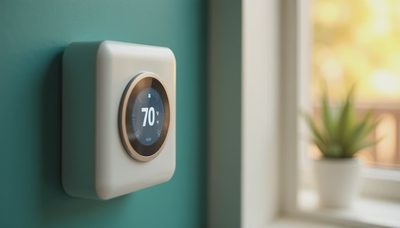
When homeowners begin a renovation, wi fi usually enters the conversation as an afterthought: place a few access points, name the network, and move on. That approach works for a laptop and a television. It is not enough for a house where lighting, climate, shades, security, audio, and door access all depend on dependable communication. In a smart home, the network is part of the electrical and control infrastructure, even though most of it remains invisible.
I have seen beautifully finished homes where a wall of glass, dense stone, or a poorly located equipment cabinet creates a dead zone in the exact place a keypad or camera needs to work. The issue is rarely that one device is defective. The issue is that nobody designed the system as a whole.
Start with the house, not the router
A typical internet provider gateway is designed to cover an average apartment, not a two-story renovation with concrete fireplaces, steel framing, detached structures, and equipment hidden in a utility room. The router belongs where it can serve the network, not automatically where the cable company happens to install it.
During design, map the floor plan and mark every fixed device: televisions, access control panels, thermostats, lighting processors, cameras, wireless speakers, motorized shade bridges, and work areas. Then consider the materials between those devices and the network equipment. Plaster, masonry, foil-backed insulation, metal cabinetry, and radiant barriers can weaken signals. A signal that appears adequate in an empty room can become unreliable after cabinetry, appliances, and furnishings are installed.
For most substantial homes, wired data drops to planned access-point locations are a better foundation than relying on wireless mesh equipment. Ethernet gives each access point a clean path back to the network, reduces congestion, and makes future service easier. A mesh system can be appropriate for a smaller home or a limited retrofit, but it should be a deliberate choice rather than the default.
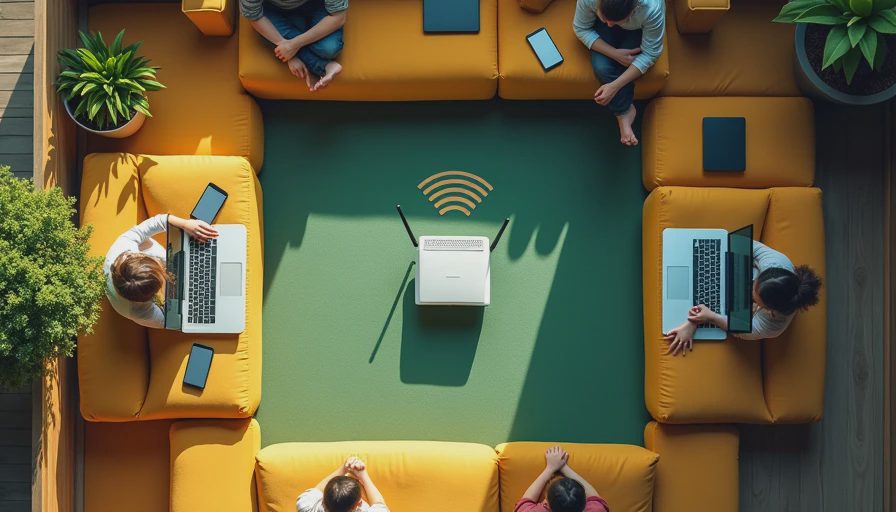
The best wi fi design is not necessarily the system with the highest advertised speed. It is the system that maintains consistent coverage while the home is occupied, the doors are closed, and multiple devices are communicating at once. A reliable connection at a modest speed is more useful than a fast connection that disappears near the bedroom or patio.
Separate infrastructure from convenience
A smart home has two different networking needs. People use the network for high-bandwidth activity such as streaming, video calls, gaming, and large downloads. Home systems use it for control messages, status updates, camera feeds, and automation events. These activities should coexist without allowing a single busy device to disrupt the rest of the house.
That is why I prefer a structured network with managed switching, properly positioned access points, and clear separation between trusted devices, guest access, and infrastructure. The exact equipment depends on the project, but the logic remains consistent. A guest streaming a movie should not share unrestricted access with a lighting processor. A camera should not be able to communicate freely with every personal computer. Segmentation improves security and makes troubleshooting more understandable.
This does not mean every homeowner needs an enterprise command center. It means the design should have a sensible backbone. Label the cables, document the ports, leave room for service, and avoid placing the entire system behind a finished wall with no access. The least glamorous decisions are often the ones that save the most time three years later.
Design for the control system
Many smart-home frustrations blamed on wi fi are actually control-system problems. A keypad may respond slowly because a processor is overloaded. A shade may fail because its bridge lost power. A camera may appear offline because its software changed. If every symptom is treated as a weak signal, the real fault becomes harder to find.
A properly designed home separates these layers. The network carries communication. The control platform handles logic. The electrical system provides stable power. Lighting, climate, shades, security, and audio should have defined relationships rather than a collection of unrelated apps.
For example, an evening scene might close shades, reduce glare, adjust selected lights, arm perimeter security, and set the climate target. The network needs to deliver those instructions, but it should not be responsible for inventing the sequence. That logic belongs in the control system, where it can be tested and maintained.
When specifying wi fi for a renovation, ask the integrator to identify which devices require low-latency communication, which need continuous service, and which can tolerate a short interruption. A temperature sensor and a video doorbell do not have identical requirements. Designing around those distinctions produces a calmer, more predictable home.

Do not forget outdoor and specialty areas
Coverage often fails at the edges of the property. A backyard access gate, pool equipment room, detached garage, guest house, or outdoor kitchen may sit beyond the range of the main residence. Extending a signal with a random consumer repeater can create unstable handoffs and another device nobody remembers how to service.
Plan outdoor connectivity the same way you plan indoor connectivity. If a detached structure matters, install an appropriate wired link or a purpose-designed point-to-point connection during construction. Use outdoor-rated equipment where exposure, heat, and moisture require it. For a pool area, think about where a homeowner will actually stand with a phone, where a camera needs coverage, and whether the equipment can be reached safely for maintenance.
The goal is not to make every square foot equally powerful. The goal is to provide intentional service in the places where people and systems need it. A patch of weak coverage beside a rarely used side yard is different from a dead zone at the front door.
Plan for service in year three
A home network should be documented before the walls close. Keep a simple schedule showing equipment locations, cable labels, switch ports, access-point names, network credentials, and power sources. Photograph concealed wiring before insulation and drywall. Leave ventilation around network equipment and provide a nearby outlet that can be reached without dismantling cabinetry.
Also plan for change. Streaming standards evolve, security cameras improve, and a family may add an electric vehicle charger, a home office, or a backyard structure. Spare conduit and a few additional data runs are inexpensive compared with reopening finished surfaces. I would rather install unused capacity during a renovation than explain later why a new control panel must live in an awkward location.
Good wi fi infrastructure should become boring. Homeowners should not think about it while adjusting lights, opening shades, watching a movie, or checking the front gate. If they are restarting equipment every week, moving access points around, or keeping a printed list of which app controls what, the design has missed the point.
A practical planning sequence
Begin with a complete device and room inventory, including future spaces such as a garage, terrace, or pool pavilion. Next, mark likely access-point locations and identify where hardwired connections are possible. Then coordinate cable routes with the electrician, cabinet designer, security contractor, and HVAC team so that no trade treats the network as leftover space.
After installation, test the home under realistic conditions. Close doors, turn on televisions, connect phones, run cameras, and walk between floors. Test the patio and driveway, not just the center of the living room. Confirm that lighting scenes, climate commands, audio playback, and security notifications behave correctly together.
The right answer is sometimes a simpler system with fewer wireless devices and more wired connections. Other homes benefit from a carefully engineered wireless design. Either way, wi fi should be considered during planning, not patched in after the finishes are complete. That decision protects the experience of the entire smart home and makes the technology feel like part of the architecture rather than equipment added beside it.