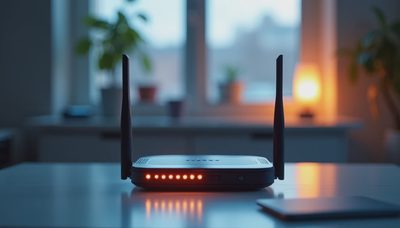
I can walk into a newly finished smart home and tell you in thirty seconds whether the network was designed by someone who lives in this world or was handed to the electrician after the walkthrough. The giveaways are never the wireless signal. They're the blinking lights in a dusty plastic box bolted to the garage wall—the all-in-one router from the internet provider, running hot, with three devices plugged in and the rest of the house praying for a strong signal two rooms over. That's not a network. That's a ticking clock.
A smart home network deserves the same design attention as the lighting plan or the HVAC zoning. It is not an accessory. It is the nervous system that every other subsystem depends on. When the network hiccups, the lighting processor loses its IP address, the security NVR stops recording, and the homeowner is rebooting a modem at 10 p.m. with a flashlight in their mouth. I design networks to make that scenario impossible. Here's what that actually looks like.
The Rack Is the Nervous System
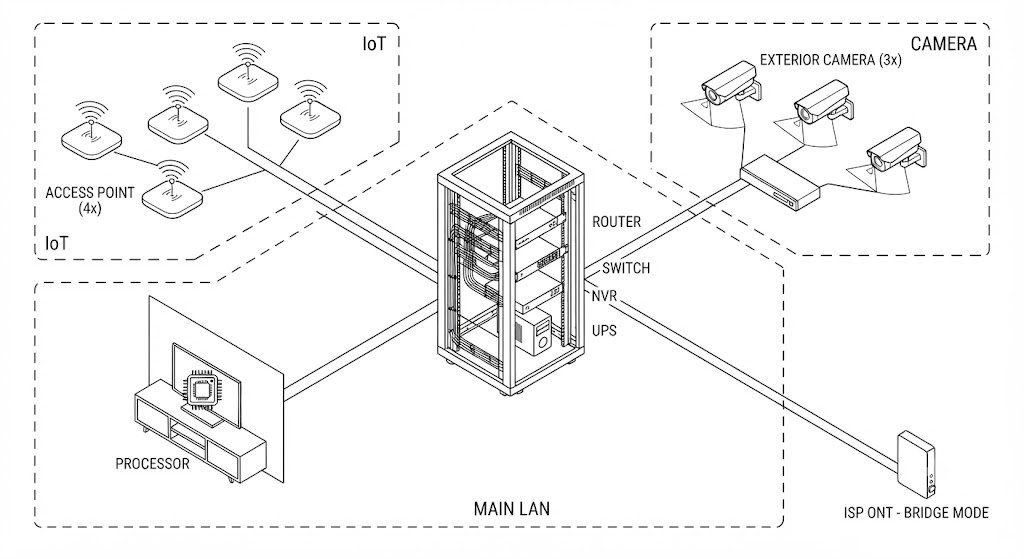
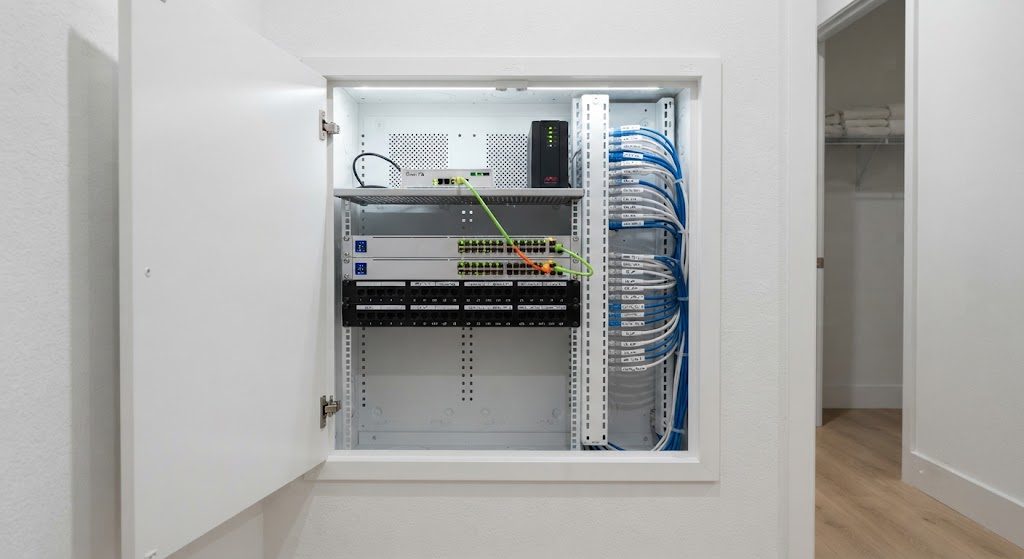
Every home network starts with a central location. I call it the rack, but in smaller homes it might be a structured wiring panel. In larger projects, it's a freestanding 19-inch rack in a ventilated closet. The point is centralization. Every cable comes here. Every device that serves the whole house lives here.
What Lives in the Rack
A proper smart home rack contains at minimum four devices: a wired router, a managed PoE switch, an NVR for cameras, and a UPS. The router handles the connection to the outside world and creates the internal network. The switch is the hub that connects everything with wires. The NVR records 24/7 from cameras that never touch the cloud. The UPS conditions power and keeps the rack running during a 30-second grid flicker—the kind of outage that causes unprotected gear to reboot and lose its state. There's no wireless in the rack. The rack is copper, fiber, and steel.
Managed vs. Unmanaged: The Fork in the Road
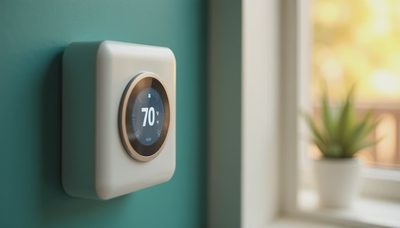
An unmanaged switch is a dumb splitter. It sends packets wherever they're addressed with no intelligence. A managed switch lets you create VLANs—virtual local area networks—that isolate traffic. In my designs, the IoT VLAN carries lighting processors, shade controllers, and smart speakers. The Camera VLAN carries security feeds to the NVR. The Main LAN carries phones, laptops, and the family NAS. These networks cannot see each other unless I explicitly allow it. A hacked smart bulb on the IoT VLAN cannot reach the computer in the home office. That isolation is a security measure, but it also reduces broadcast chatter that clogs the network. Every managed switch in my projects gets configured with these VLANs before the first device is plugged in.
Wireless Access Points: The Ceiling Is the Antenna
A router sitting on a shelf behind the TV is a terrible access point. The TV is a slab of metal and glass. The shelf is low. The signal fights through furniture and human bodies before it reaches anywhere useful. A proper access point mounts on the ceiling, in the open, where its antenna pattern covers the floor below without obstruction. I spec one ceiling AP for every 1,200 square feet, cabled back to the PoE switch. The APs are tuned to non-overlapping channels and set to power levels that encourage devices to roam rather than cling to a distant signal. The result is a house where you can walk from the garage to the master bedroom on a video call and never drop a frame.
The ISP Box Gets One Job
The device your internet provider installs—the ONT for fiber or the cable modem—should operate in bridge mode. That strips away its routing, switching, and wireless functions and turns it into a simple media converter. It passes the public IP address directly to your own router. Your router handles the firewall, the DHCP assignments, the VLANs. The ISP box becomes invisible. If it reboots, your internal network doesn't even notice. That configuration alone eliminates the single largest source of support calls I've seen across 200 homes.