A smart plug is one of the simplest ways to add control to an existing lamp, fan, coffee maker, or decorative fixture. But in a renovation or new build, the important question is not whether a smart plug works. It is whether the device belongs in the larger system you are designing. After commissioning more than 200 homes across Los Angeles County, I have seen these small adapters solve real problems, create unnecessary clutter, and quietly become useless after the novelty wears off.
The right decision depends on the load, the location, the control platform, and what you expect the room to do five years from now. A connected outlet can be a practical bridge when you do not want to replace a fixture. It should not become an excuse to avoid proper wiring or thoughtful lighting design.
Where a smart plug earns its place
The best use is usually a device that has a simple on-and-off state and does not need dimming. A floor lamp in a reading corner is a good example. So is a table lamp behind a sofa, a seasonal display, or a plug-in air purifier that you want to run on a schedule. In those situations, a smart plug can bring the device into an evening scene without changing the fixture.
A guest room is another sensible application. You can control a lamp from the doorway, schedule it to turn off at bedtime, and give visitors a physical button rather than asking them to learn an app. In a home office, a smart plug can disconnect a monitor or desk lamp after working hours, although I would not use one to cut power to a computer that needs to shut down properly.
The useful principle is simple: use the adapter for a predictable, modest electrical load. If the device has a mechanical switch that stays in the on position after power is removed, it is usually a good candidate. If it needs a soft button, a proprietary remote, or a full startup sequence, the result is less dependable.
Where it is the wrong tool
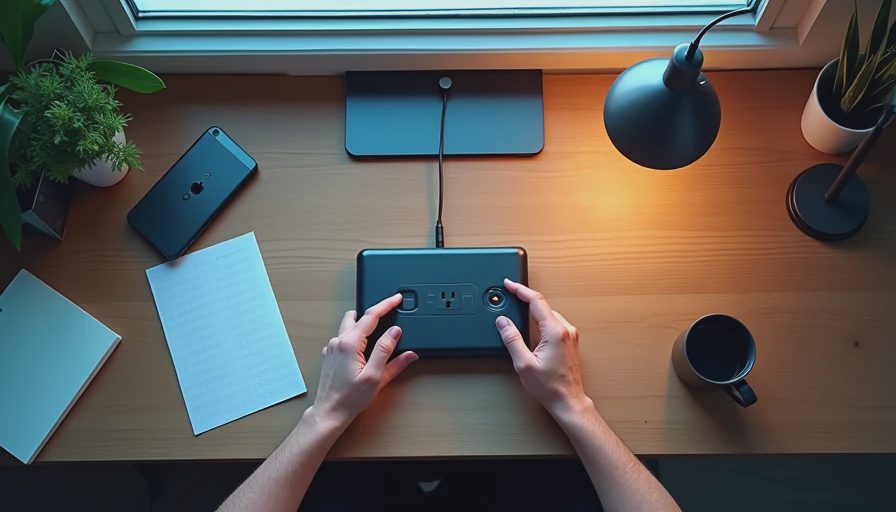
A smart plug is not a replacement for a hardwired lighting circuit. If you are opening walls, run the wiring for the lights you care about. A proper switch or dimmer gives you a cleaner installation, better local control, and fewer points of failure. An adapter sitting halfway up the wall is visually acceptable behind a cabinet; it is not a finished architectural detail beside a carefully selected sconce.
I also avoid using one for refrigerators, freezers, medical equipment, sump pumps, or anything where an unintended power interruption could cause damage. Motors and compressors can have startup characteristics that small consumer devices are not designed to manage. Space heaters deserve particular caution because they draw substantial power and create a fire risk if they are left unattended. Never use an adapter beyond its listed load rating or hide it under rugs and furniture.
Bathrooms and kitchens require additional care because moisture, heat, and countertop appliances change the risk profile. The adapter itself does not replace required electrical protection, and it should not interfere with access to a receptacle or reset mechanism. For those locations, a licensed electrician should determine the appropriate equipment and installation method.
Compatibility matters more than the app
Many homeowners start by asking which smart plug has the best app. That is usually the wrong first question. Ask which control system will own the device. A home built around Lutron, Control4, Savant, Crestron, or a carefully configured Matter and Thread setup needs a predictable integration path. A product that works beautifully as a standalone device can become awkward when it has to appear beside lighting, shades, HVAC, and security controls.
The connection method matters too. Wi-Fi devices are easy to deploy, but a house with dozens of independent Wi-Fi accessories can add congestion and maintenance work. Thread-based products can be a better fit in some newer systems, provided the border router, platform support, and commissioning process are planned. Matter improves interoperability, but it does not eliminate the need to understand what commands and status feedback a device actually exposes.
I prefer a smart plug that reports whether it is on or off, recovers cleanly after a power outage, and can be controlled locally when the internet is unavailable. Those details matter more than a colorful app or a long list of marketing features.
Design the outlet before selecting the device
During rough-in, decide where outlets, lamps, furniture, and control stations will live. If an adapter will be visible, consider a recessed receptacle or a location behind the furniture it serves. Make sure the plug does not block the second outlet. A small planning mistake can turn a clean installation into a bulky stack of adapters and extension cords.
For a renovation, I photograph every rough-in wall before drywall. That record helps the electrician, integrator, and homeowner understand which receptacles are dedicated, which are switched, and which belong to a future use. If the plan includes a smart plug, label the intended load rather than assuming someone will remember it later.
Think about physical control as well. Guests, children, and service staff should not need a phone for basic functions. A scene button, wall switch, or accessible manual control often makes the system feel more natural. Automation should remove decisions, not create a scavenger hunt for the correct application.
Build useful scenes, not isolated tricks
The value of a smart plug appears when it participates in a scene. A movie scene might lower shades, set the lights, and switch off a decorative lamp. An away scene might turn off selected plug-in loads while arming security and adjusting climate settings. A morning scene could turn on a coffee station only if the appliance is designed to resume safely after power is applied.
Avoid automations that depend on too many fragile conditions. A sunset trigger is generally more useful than a complicated chain involving motion, room occupancy, and several app permissions. Give every automated load a clear manual override. If a homeowner cannot understand why a lamp turned off, that automation will probably be disabled within months.
I have seen clients keep using simple schedules years later: porch lighting at dusk, a hallway lamp at bedtime, and a decorative fixture that turns off at midnight. I have also seen elaborate routines abandoned because one unreliable accessory made the entire sequence feel unpredictable. The system should be judged by what survives ordinary life, not by what looks impressive during a demonstration.
What changes after three years
A smart plug is a replaceable component, not a permanent architectural investment. Consumer hardware changes faster than wiring, and cloud services can change support policies. That is not a reason to avoid the technology; it is a reason to use it selectively. Keep critical functions on durable, wired controls and reserve replaceable adapters for secondary loads.
Document the model, location, assigned room, and purpose of every device. Store that information with the home network and electrical records. When one fails, a technician should be able to replace it without rediscovering the entire system. Buy a spare for unusual installations, especially when matching hardware or integration support may become difficult later.
For a single lamp, a smart plug may be the cleanest answer. For a renovation, the better answer is often a dedicated circuit, a wall control, or an integrated lighting module. Start with the experience you want, then choose the least complicated hardware that delivers it. That approach keeps the home coherent, maintainable, and useful after the showroom moment has passed.