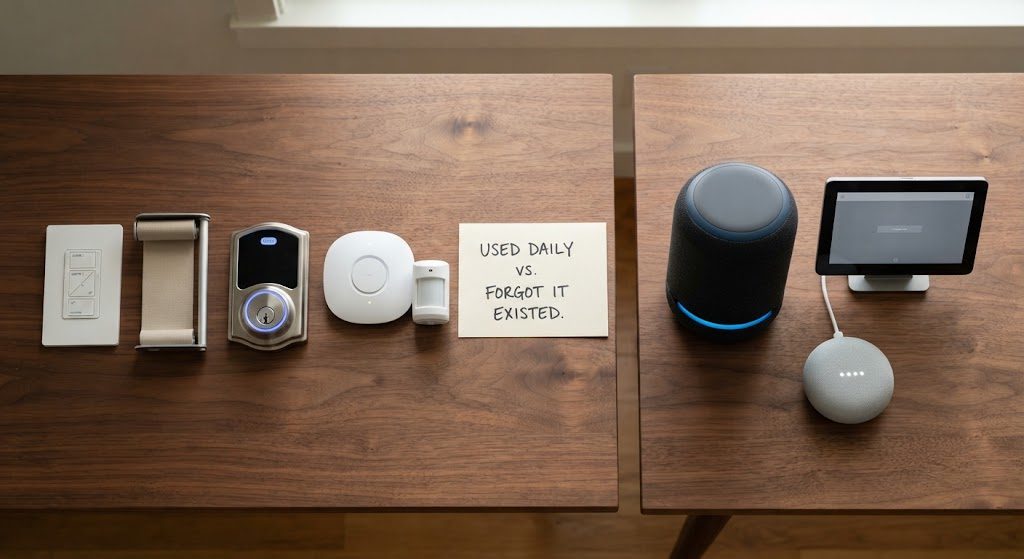
Every smart home manufacturer has a feature list. Every integrator has a demo. Neither tells you what actually sticks after the novelty wears off. I've been in 200 homes months and years after the final handover, and I've seen the same pattern repeat: five features become background services that people rely on without thinking. Three others get touched for two weeks, then ignored until the next software update forces a reboot. This isn't opinion. It's observation, repeated across kitchens, bedrooms, and hallways from Silver Lake to Calabasas.
The difference between a feature that earns its keep and one that doesn't is simple. If it solves a daily friction without asking for attention, it stays. If it demands attention—a voice command, a screen tap, a manual override—it fades. Here's the list.
The Five That Earn Their Keep
These features are not the most expensive. They're not the flashiest in the demo. But they are the ones my clients mention first when I ask what they'd never give up.
Lighting Scenes on Keypads
Not an app. Not a voice command. A physical keypad on the wall, engraved with words like "Morning," "Dinner," "Goodnight." One press changes the entire room—sometimes the entire floor. In 200 homes, the keypad scene is the single most-used smart home feature, and it's not close. The key is that it works for everyone: kids, grandparents, the babysitter. No instructions required.
Motorized Shades on a Schedule
I've written about this before, but it belongs on this list because of the usage data. Shades that drop automatically at sunset and rise at sunrise run 365 days a year with zero interaction. The homeowner stops noticing them after week two, which is exactly the point. They save energy, protect furniture, and provide privacy without a single deliberate action. That's the definition of earning its keep.
Door Lock Integration With the Security System
A smart lock alone is a gadget. A smart lock that triggers the security system, the entry lights, and the thermostat is a system. When the deadbolt unlocks with a personal code, the house disarms, the entry path lights up, and the climate adjusts to occupied mode. When it locks at night, the "Goodnight" scene runs. The lock becomes the house's primary interface for coming and going, and it does it without a phone.
A Proper Network Backbone
You don't see it. You don't touch it. You don't think about it until it fails, and in a well-designed home, it never does. A managed switch, hardwired access points, and a wired router aren't glamorous. They're the reason every other feature works for five years without a service call. Clients never list the network as their favorite feature, but I do. It's the feature that keeps all the other features off the complaint list.
Security Sensors That Pull Double Duty
Motion sensors and door sensors don't just arm and disarm the alarm. They tell the HVAC which rooms are occupied. They tell the lighting system to turn off the hallway after two minutes of no movement. They notify the processor that the kids came home from school. A sensor that does one job—security—is underutilized. A sensor that feeds four subsystems is the most efficient device in the house.
The Three That Can Wait
These are the features that show up in manufacturer brochures and integrator proposals as "must-haves." In the field, they're the ones clients forget exist.
Voice Control as a Primary Interface
I'll save the full argument for another post, but the short version is this: voice control is a party trick for smart homes. In 200 homes, I've watched clients use it enthusiastically for about three weeks, then gradually stop. The reasons are consistent: it's slower than a keypad, it fails when the internet is down, and it's awkward when guests are present. Voice assistants earn their keep as kitchen timers and music request lines. They do not earn their keep as lighting control.
Wall-Mounted Touchscreens
A dedicated touchscreen on the wall looks impressive in a showroom. In a real kitchen, it becomes a very expensive digital photo frame that occasionally shows the weather. The problem is placement: a touchscreen requires you to walk to it. A keypad is already under your finger when you enter a room. A phone is already in your pocket. The touchscreen competes with both and loses to both. I've spec'd dozens of them. I've removed more than I've installed on follow-up calls.
Whole-Home Audio in Rooms Nobody Listens In
In-ceiling speakers in the kitchen, the living room, and the primary suite? Absolutely. In-ceiling speakers in the laundry room, the guest bathroom, and the hallway? That money should have gone to better shades. Whole-home audio is a beautiful system when it serves spaces where people actually spend time. The "every room" approach is a specification exercise, not a lifestyle. Most clients can't name three songs they've played through their powder room speaker. I've asked.
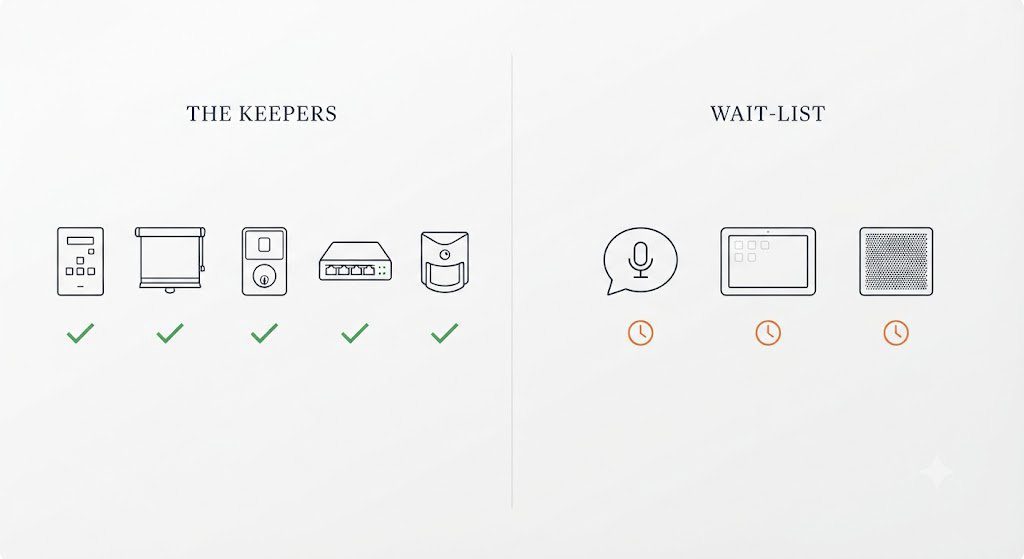
The budget is never unlimited. Every dollar that goes to a feature nobody uses is a dollar that didn't go to a feature that changes how the house feels every day. In my experience, that means lighting scenes, shades, lock integration, the network, and sensors that multitask. Those five deliver. The rest can wait until the house has proven it needs them—which, in most cases, it never will.