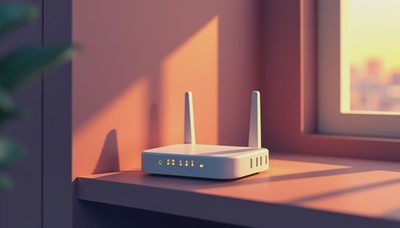
A wifi box is usually the unglamorous piece of equipment that connects your home to the internet and gives phones, televisions, sensors, speakers, and controls a wireless path through the house. In a renovation, however, treating it as just another plug-in device creates problems that become expensive after drywall is finished. The right wifi box location, wiring plan, and network design affect whether the smart home feels calm and dependable or constantly needs troubleshooting.
I have seen beautifully designed homes undermined by one internet gateway sitting inside a metal utility cabinet at the far end of the floor plan. The service was fast at the street, but the wireless experience was poor in the rooms where people actually lived. The lesson is simple: internet speed and home coverage are different design questions.
What a wifi box actually does
In everyday conversation, people use wifi box to describe several different devices. Your internet provider may supply a modem, which translates the signal from cable, fiber, or another service into a usable connection. A router directs traffic between your local devices and the internet. A wireless access point broadcasts the Wi-Fi signal. Many provider-supplied units combine all three functions in one enclosure, which is why they are often called a gateway.
That distinction matters during construction. A combined gateway can be perfectly adequate for a small apartment with modest demands. A larger home with thick plaster, concrete, multiple floors, detached structures, motorized shades, cameras, and whole-home audio needs a more deliberate arrangement. The primary gateway may live near the service entrance, while wired access points are placed where coverage is needed.
A wifi box is not automatically a smart-home controller, either. It moves network traffic, but it does not necessarily coordinate lighting scenes, climate schedules, security logic, or entertainment. Those functions may live in a dedicated automation processor or in a cloud service. Keeping those roles clear helps prevent a common mistake: expecting one consumer device to be the brain of an entire property.

Where to place the equipment during a renovation
Start with the internet service entry point. In a new build, ask the electrician and low-voltage contractor to identify where the provider will bring fiber or cable into the house. From there, run structured Ethernet cable to a central, accessible location. That location should have power, ventilation, room for a small rack or enclosure, and enough clearance for future equipment.
Do not hide the wifi box behind a television, inside a packed metal panel, or in a hot attic. Cabinets and masonry weaken wireless signals, while heat shortens equipment life. A closet can work if it has airflow and the door does not block the signal, but it is usually better to use that closet for the network hardware and install separate access points in open ceiling or wall locations.
For many homes, Cat6 cable is a sensible baseline for permanent network runs. Pulling cable before drywall is inexpensive compared with opening a finished ceiling later. I also like to see at least one spare run to important locations, because a future access point, camera, keypad, or audio component often ends up somewhere no one predicted at framing.
The goal is not to make every room look like a technology closet. The goal is to make the infrastructure disappear while remaining serviceable. Label both ends of every cable, photograph the rough-in before insulation, and leave a simple diagram for the homeowner. Three years later, those details save more frustration than a faster device purchased online.
Coverage is a design problem, not a box problem
A single wifi box broadcasts in every direction, but walls, floors, cabinetry, appliances, and distance reduce the useful signal. A common consumer approach is to add a mesh node wherever coverage feels weak. Mesh systems can be convenient, especially in an existing home, but wireless links between nodes consume capacity and can create inconsistent handoffs when devices move around.
A professionally wired access-point system takes a different approach. Each access point receives data through Ethernet rather than relying on another wireless hop. The units can be positioned near bedrooms, living areas, offices, and outdoor zones, then coordinated under one network name. Phones and tablets can move through the home without the homeowner manually selecting a new network in every room.
This does not mean every room needs its own access point. Too many transmitters can create as much confusion as too few. The correct count depends on floor area, construction materials, device density, and the coverage target. A compact mid-century home with open framing may need a different plan from a multi-level house with concrete stair cores and a detached garage.
A wifi box should be evaluated as part of that coverage plan. Ask where the access points are, how they are connected, and what happens if one fails. If the answer is simply to move the box closer to the hallway, the system has not been designed yet.

Smart-home reliability depends on the network
Lighting controls, thermostats, door locks, cameras, and audio products do not all communicate in the same way. Some use Wi-Fi, some use Ethernet, and others use dedicated protocols or low-power radio. A strong smart-home network separates critical equipment from casual traffic when appropriate and gives installers a clear way to diagnose failures.
For example, a guest streaming a movie should not be able to overwhelm the same path used by security equipment. A camera system may need stable wired connections and adequate upload capacity. A lighting processor should remain reachable even when the internet service is temporarily down. These are system decisions, not features you solve by buying the newest wifi box.
I recommend planning for a small uninterruptible power supply for the gateway, network switch, and automation processor. It will not keep the whole home running during an outage, but it can prevent a brief power interruption from rebooting every device at once. Label the power supplies, keep ventilation clear, and document which equipment is essential.
What homeowners should ask before installation
Before approving a network plan, ask the installer to explain five things in plain language. First, where does the service enter the property? Second, which locations receive wired Ethernet? Third, which areas use separate wireless access points? Fourth, what equipment still works if the internet goes out? Fifth, who can service the system without removing finished cabinetry or cutting drywall?
Also ask whether the provider's wifi box will remain in use or operate only as a modem. Some providers require their gateway for support or voice service, while others allow a customer-owned router. The answer depends on the service arrangement, so document the final configuration rather than assuming a future technician will remember it.
A good handoff includes network names, administrator access, equipment locations, cable labels, warranty information, and a basic reset procedure. Avoid putting every password on a loose note in the rack. Store credentials securely and make sure the homeowner, not only the original installer, has access.
The practical answer for a finished home
If the walls are already closed, start by measuring the problem rather than replacing the wifi box immediately. Note which rooms fail, whether the issue affects one device or many, and whether performance changes at certain times. A wired access point may solve a weak signal more effectively than a premium gateway. In some cases, relocating the existing equipment only a few feet out of a cabinet makes a noticeable difference.
For a renovation or new build, plan the network alongside lighting, climate, shades, security, and audio. The best system is rarely the one with the most visible technology. It is the one that responds quickly, survives ordinary household abuse, and can be repaired without a scavenger hunt behind the walls.
A wifi box is only one component, but its placement and role set the foundation for everything connected to it. Treat it as infrastructure, run the cable before the finish work, and design coverage around how the home is used. That is how smart-home technology becomes part of the architecture instead of another source of daily friction.