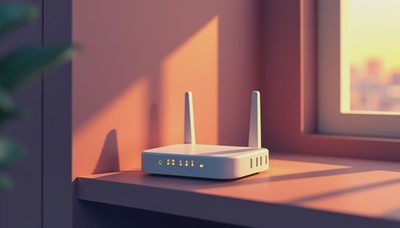
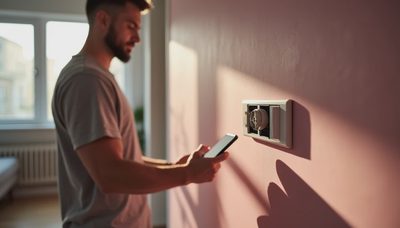
I’ve designed systems for more than 200 homes across Los Angeles, and the one piece of equipment I refuse to skip is a smart home hub. If your contractor or electrician hasn’t mentioned it, you’re going to be chasing Wi-Fi switches and clunky apps before the paint dries. A smart home hub is the central brain that lets your lighting, climate, shades, security, and audio act as one system instead of a dozen disconnected products.
Most homeowners come to me with a vague idea that they want automation. They’ve seen friends with a few smart bulbs or a video doorbell. That’s a start, but it’s not a system. The hub ties everything together before you ever open the app. Once the hub is configured, you don’t think about the technology. You just live in a house that responds.
Why Every Renovation Needs a Smart Home Hub
When clients tell me they just want to control lights from their phone, what they actually want is for the house to respond without them thinking. The smart home hub is what makes that possible. It talks to every device, holds the logic, and keeps working when the internet drops. Shades rise with the sunrise, cooling follows the sun across the room, and audio moves with you from the kitchen to the patio. None of that happens because each gadget has its own app. It happens because the hub coordinates the whole scene.
Behind the scenes, the hub also handles the security side. Door locks, garage doors, and cameras all report to the same place, so your alarm and your lighting can work together. If a sensor trips at night, the hub can bring the lights up and send you an alert at the same time.

What a Smart Home Hub Actually Runs
It’s easy to confuse the hub with the voice assistant speaker sitting on your counter. This hub is a dedicated processor that lives in your structured wiring panel, a closet, or a discreet wall mount. It runs the scenes and schedules for every subsystem connected to it. Lighting modules, shade motors, thermostats, door locks, cameras, and audio zones all report back to the hub.
The hub doesn’t care whether you use voice control, a touchscreen, or a physical button. It just makes sure the right command gets to the right device in milliseconds. That’s why local control matters. If the hub depends on a cloud service to process every command, you’ll notice the lag the moment your internet provider hiccups. A good hub keeps the essential logic local.
Planning the Smart Home Hub Before Drywall
The biggest mistake I see in renovations is deciding on a hub after the walls are closed. That inevitably leads to wireless sensors fighting for signal and battery changes on 30-foot ceilings. During rough-in, you need conduit to the media location, low-voltage wire to every window you want shaded, and neutrals to every switch box. The hub itself is the easy part; the pathways to it are what matter.
Think about where the smart home hub will live before the framing is done. It should be accessible, ventilated, and far enough from metal studs and interference sources. In the homes I work on, the hub usually sits in a structured media enclosure near the electrical panel. That keeps cable runs short and gives the whole system one clean, central home.

What Fails at Year Three
I’ve watched a lot of automation setups age, and the pattern is consistent. The products that fail at year three are the ones with the weakest build quality and the software that stopped getting updates. A quality hub will still run smoothly, but the cheap Wi-Fi switch from a big-box store is often the first thing to act up. I also see clients abandon automations that were too complicated to set up in the first place. The fix is to build around a hub that supports local control and to keep the user interface as simple as the wiring.
The Simpler Approach Might Be Right
Not every house needs a full custom installation. If you live in a condo or rent, a plug-and-play hub with a few good sensors can handle the basics. But if you’re already renovating, putting the hub in the plan early gives you more reliability and fewer headaches. The same system that feels magical in a small apartment can feel like a burden if it wasn’t installed with the structure in mind.
Questions to Ask Your Integrator
Before anyone starts pulling wire, ask where the processing happens. A system that depends on the cloud for every button press will feel slow when your connection drops. Ask whether the hub supports local control and whether it can run a schedule and a scene without an internet connection. Ask about the upgrade path, too. The smart home hub you buy in year one should still be supported in year five. Most of all, ask how long the setup will take and who will be on call when something behaves oddly. A good integrator will answer those questions directly and show you the room where the equipment will live.
A Final Word on the Hub
Treat the hub as infrastructure, not an accessory. It deserves the same planning as your electrical panel and your plumbing. When you build the house around that idea, you end up with a system that’s actually pleasant to use. That’s the whole point.