When I walk into a client's new build in Silver Lake and see a stack of Nest boxes on the counter, I know we're about to have a systems conversation. Nest products have earned their place in a lot of homes — they're polished, easy to use, and affordable. But if you're building or renovating with a whole-home system in mind, the real question is how these devices fit into a single brain. Let's break down where they belong and where they create headaches.
What Nest Products Do Well
The thermostat is the obvious starting point. The Nest Learning Thermostat is genuinely good at what it does: it learns your schedule, handles multi-stage HVAC, and the remote control via the app just works. The same goes for the Nest Cam line — clear video, reliable alerts, and reasonable subscription pricing. Nest Protect smoke and CO detectors are also at the top of the consumer list, with split-spectrum sensors that tell you whether it's smoke or steam. So if your goal is simply a smarter thermostat or a better set of cameras, this lineup is a sensible choice. I've seen them work beautifully in a lot of homes.
The Problem: A Product Line, Not a System
Where these devices get tricky is the moment you try to make them share a brain with everything else in the house. In my work, I design lighting, climate, motorized shades, security, and audio to talk to one processor. Nest products speak Google's language, and they play nicely with Google Home. But they don't natively integrate with professional platforms like Control4, Lutron, or Savant without third-party drivers. That's not a knock on the hardware itself — it's a planning reality. If you're building a new house and you want one app, one keypad, and one scene that dims the lights, lowers the shades, and arms the security, you need to know how the Nest gear will fit into that scene.
What I Recommend for a Renovation or New Build
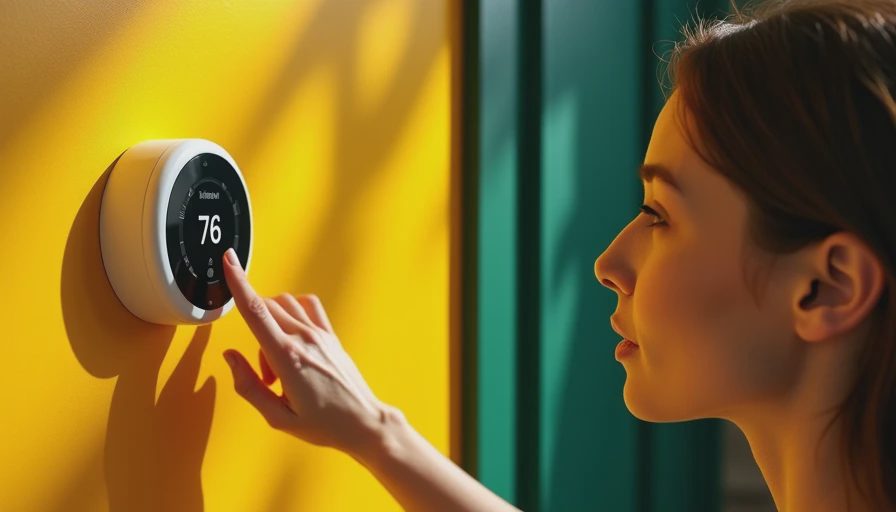
If you're in the rough-in phase, ask yourself one question: are you choosing Nest products because you like the hardware, or because you want a cohesive system? For most of my clients, the answer is the hardware. And that's fine. The smart move is to treat these devices as endpoints, not the backbone. For example, keep the Nest Thermostat if you love the dial, but wire the house for a control system that can communicate with it via IP. Same for Nest Cams — choose Power over Ethernet wiring in the walls so you have flexibility later, even if the cameras themselves are Wi-Fi. That way you're not locked in at year three.
But there's a layer people often miss. In LA, where HVAC systems are oversized and houses have glass walls, the Nest Thermostat's learning algorithm can get thrown off by sun load and occupancy patterns. I've had clients who set a morning schedule only to find the thermostat fighting the shades. The fix is not to abandon the product; it's to give it clean input. Make sure your HVAC is zoned properly and that your temperature sensors are placed away from direct sunlight. That's true for any thermostat, but it comes up a lot with this ecosystem because it's so self-directed.
The Year-Three Reality Check
I've written before about what fails at year three, and Nest products have a specific pattern. The hardware holds up well — I rarely see a dead Nest Protect or a failing Nest Cam. The real issue is the ecosystem. Google has revamped the Nest app, migrated accounts, and changed subscription tiers more than once. If you buy these devices piecemeal, you'll be tied to someone else's roadmap. That matters less for a single camera, but it matters a lot when you've built a whole house around a mobile app that can change overnight. My advice: keep the product if you like it, but never let the product dictate the architecture of the home.
The Open vs. Closed Debate
One conversation that comes up on every project is whether to go with an open ecosystem or a closed one. An open system, like a well-configured Home Assistant setup, gives you maximum flexibility but asks you to become your own tech support. A closed system, like a professional platform, gives you reliability and one vendor to call when something breaks. The right answer depends on your appetite for tinkering and your budget. What I tell clients is simple: decide which side of that fence you want to be on before you buy anything. The most expensive mistake in smart home design is buying gear first and designing the system second. Once the drywall is up, changing your mind costs real money.
How to Plan Around Them
Here's the step-by-step approach I give every homeowner. First, decide if you want an open or closed smart home system. Second, choose your backbone before you buy anything — something like Control4 if you're working with an integrator, or a DIY hub if you're not. Third, buy the specific Nest models you like only if they have a documented integration path. Fourth, wire for flexibility with Cat6 at every drop, even if you think you'll never need it. Fifth, test the scenes before the drywall goes up. This is the practical advice I give every homeowner. These devices aren't wrong, but they work best when you treat them as components in a system rather than the system itself.
Final Take
Here's my honest position after 200 installations. If you love the look of the Nest Thermostat or the simplicity of the Nest app, buy it. Enjoy it. Just design your home so that the Nest products can be swapped out without ripping walls open. That means standard wiring, a structured network, and a control layer that can talk to multiple brands. The homes that work best at year three are the ones that treat every device, including these, as a guest that can be replaced when its contract expires.