Home Hub Smart Home: Designing One Brain for Your Whole House
When a homeowner in the planning phase asks me about a home hub smart home, they usually mean "one app to rule them all." I get it. Lights, shades, thermostats, locks, and music all responding to one scene. But after 200 LA installations, the difference between a smart house and a smart home has almost nothing to do with the hub itself. It's about decisions made before drywall goes up.
What a Home Hub Smart Home Actually Means
A home hub smart home isn't a product. It's an architecture. The hub — that little box in the network closet — is just the translator between subsystems and your phone. The real system is the network, the low-voltage wiring, and the coordination between lighting, climate, shades, security, and audio.
This is where DIY setups go sideways. People buy a smart speaker or thermostat, call it a hub, and end up with twelve apps and three disconnected automations. A professionally designed home hub smart home treats the hub as the brain in a nervous system that reaches every room.
Plan the Home Hub Smart Home Before You Rough-In
If you're renovating or building, the cheapest time to think about this is before the electrician roughs in the walls. Retrofitting later means opening drywall, pulling Cat6, and paying for labor when you already have dust everywhere.
Walk the plans room by room. Decide which lights dim, which windows get motorized shades, where audio matters, and where sensors go. Create a room-by-room schedule of subsystems. That document is worth more than any hub you buy.
Run the wire. Ethernet to every room that might get a keypad or TV. Low-voltage cable to every motorized shade. Speaker wire to the ceilings you'll actually use. Leave pull strings and empty conduit everywhere. Cheap now, priceless in year five.

The Hub Is Not the Hard Part
Once the infrastructure is in, hub selection matters less than people think. Modern control platforms — a dedicated processor or a software-based controller — all talk to lighting, climate, shades, audio, and security over IP or low-voltage links. Pick one that supports your protocols and lives on a wired network, not Wi-Fi. A $30 consumer hub on an overloaded Wi-Fi network will drop commands at the worst time.
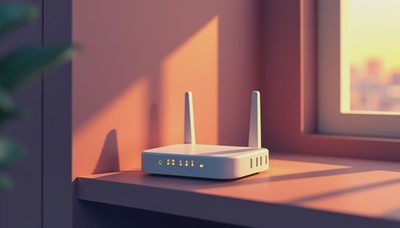
The network closet deserves the same attention as the kitchen. Budget for a proper network switch, a reliable router, and a battery backup. The hub is the brain, but the network is the blood. If either one is weak, the whole home hub smart home feels sluggish and unreliable.
What Fails in Year Three
Most problems don't come from the hub. They come from poor installation and abandoned features. Motorized shades fail when installers use the wrong voltage or ignore heat. Lighting scenes feel gimmicky if no one sets them up. Voice control becomes a novelty by month four.
What sticks: automated morning and evening scenes, climate zones that respond to occupancy, shades that track the sun, and a video doorbell that records continuous footage. Plan for those first. You'll still use them in year five.
What doesn't stick: LED strips in every room, smart appliances you can control from an app but never do, and automations that trigger for no reason. Do ten things well instead of fifty things half-heartedly.
Where to Spend, Where to Save
Spend on lighting control. It's the most-used smart system in any house, and a well-designed keypad becomes muscle memory. Spend on shades in rooms with real glare or heat. Spend on the network.
Save on the futuristic stuff. You don't need smart appliances or smart beds. One or two voice assistants are enough. A simpler smart home that everyone understands beats an elaborate one that needs a manual.
How to Start Without Regretting It
If you're pre-construction, hire a smart home designer before the electrical rough-in. You can still have the low-voltage work done by the electrician, but the design has to happen now. Ask for a one-page system diagram, not a 200-page spec. You need to know which cables land where, what the control philosophy is, and how the system expands.
If you're past drywall, don't panic. You can still put a home hub smart home together with wireless lighting, battery-powered shades, and a software hub. It won't be as seamless, but a good controller can unify most brands. Start with the network, then lighting scenes, then climate, and expand from there.
The Payoff: A Home That Responds
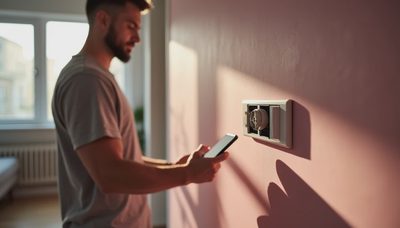
The real payoff isn't a cooler house. It's a house that responds. You walk in at night, the entry lights welcome you, the shades are already down, and the AC adjusted itself when you left work. That's the feeling clients describe when they say "the house just works."
Build the system around daily rituals, not novelty. Plan the wiring early, invest in the network, choose one control platform, and keep the feature list tight. Do that, and you'll have a system you still enjoy long after the novelty fades.
If you're planning a renovation or new build and want a system diagram that works, reach out. The cheapest wiring mistake is the one you avoid.