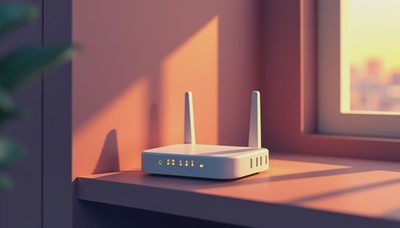
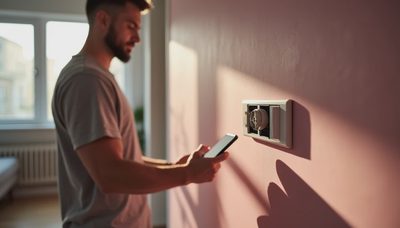
If you're planning a new build or a major renovation, you've probably heard the term home control hubs thrown around. In my years designing smart homes across Los Angeles, I've seen the same mistake repeated: homeowners buy a few smart devices, then try to stitch them together later. That's backwards. The home control hub is the foundation, and it has to be decided before the drywall goes up.
What Home Control Hubs Actually Do
Home control hubs are the central brain of a modern house. They connect lighting, climate, motorized shades, security, audio, and energy management into one system. When you walk into a room, the hub coordinates the scene: lights at the right level, thermostat adjusted, shades lowered to cut glare. Without a hub, you're stuck tapping four different apps just to watch a movie.
Home control hubs also standardize communication between devices, which speak different languages — Zigbee, Z-Wave, Wi-Fi, Bluetooth, and proprietary protocols. A good hub translates between them, so a wall button can trigger actions across multiple brands. That's the difference between a system and a collection of gadgets.
Why the Hub Decision Comes First, Not Last
Most people pick light switches first, then a speaker, then a thermostat. That's a setup for regret. The home control hubs you choose will determine what you can do later — and what you'll have to rip out. For example, if you install a wireless-only hub with no wired backbone, you're depending on Wi-Fi for every command. That works for a studio apartment, but in a 4,000-square-foot house with steel framing, it's a recipe for dead zones.
The right time to decide is during the rough-in phase. That's when electricians run low-voltage wires for keypads, shades, sensors, and audio. If you know your hub's language, you can specify the right cabling and avoid the "hub-in-a-closet" problem that plagues many retrofits. I've rescued more than one project where the homeowner was told a hub could be "added later" — it can, but the cost triples and the results rarely match a system designed from the start.

Wired, Wiser, or Hybrid: Choosing Your Architecture
There are three ways to build home control hubs: dedicated hardware, software-only, or a hybrid. Dedicated hardware runs on its own processor and doesn't rely on a home server or a cloud account for basic functions. Software-only hubs run on a PC, NAS, or even a Raspberry Pi — great for tinkerers, but they require maintenance and can fail quietly at 2 a.m. Hybrid systems use a combination: a dedicated core with cloud services for remote access and voice assistants.
For most homeowners, a hybrid system is the sweet spot. You get the reliability of local processing for time-sensitive actions like lighting and security, plus the convenience of cloud integration for schedules and remote control. The key is to look for a hub that supports local control for critical tasks. If the internet goes down, your lights should still switch on. That's a basic test of a well-designed system.
The Mistakes I See in Year Three
After a few years, the novelty wears off, and I see what clients actually use. The biggest mistake is choosing a hub that locks you into one vendor's ecosystem. If you buy a hub that only talks to its own brand of lights, you'll be stuck when a better product comes out. Home control hubs should be the most neutral element in your home — the Switzerland of your network. Look for platforms that support multiple protocols and have a track record of software updates.
Another mistake is underestimating the importance of physical control. Clients love the app, but they also want a button on the wall. A hub that only offers a phone interface fails guests, kids, and anyone who just wants to turn off the lights on the way out. My rule: if a control isn't obvious to a first-time visitor, it's not good design.
In my experience, home control hubs fail when they're treated as an afterthought. The ones that survive are the ones that were planned alongside the wiring. So don't wait until move-in day to think about integration.
How to Plan for a Hub in Your Build
If you're in the planning phase, here's a simple process. First, list every subsystem you think you'll want in the next five years — lighting, shades, climate, security, audio, even irrigation. Don't decide against something because you don't need it today; the hub should have room to grow.
Second, choose the hub architecture before you order rough-in materials. Decide on wired keypads, wireless controls, or both. Running extra low-voltage wire during construction costs little compared to after the drywall is up. Ask for a structured wiring panel and run Cat6 to key locations.
Third, think about placement. A hub is not a coffee-table ornament. It belongs in a dedicated closet or structured media cabinet, away from heat sources and out of reach of kids. Make sure you have power, ventilation, and network connectivity in that space. I've seen hubs stuffed into hot closets.
Finally, test before you commit. Ask your integrator for a demo in a real installed home. Watch what happens when the Wi-Fi drops and how quickly a scene responds to a button press. This is the moment you'll live with for the next decade.
The Bottom Line
A smart home doesn't start with gadgets. It starts with the nervous system that connects them. Home control hubs are the unsung heroes of a renovation — easy to overlook in the budget, but impossible to ignore when every device works together. If you invest in the right hub architecture up front, you'll save yourself years of frustration and a stack of expensive replacements.
When you're in the planning stages, ask your architect, builder, and electrician about home control hubs early. A simple conversation at the right moment can save you from a house full of orphaned smart devices. If you're in Los Angeles and want to see a properly integrated system, reach out.