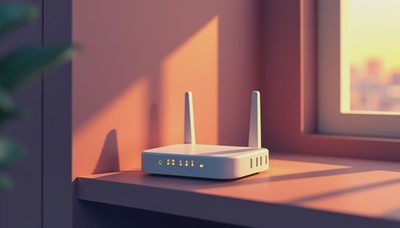
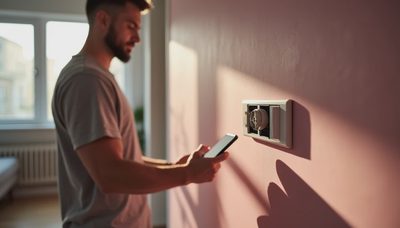
If you're in the middle of a renovation or new build, the best smart home hubs can feel like the last thing to sort out. You have tile, cabinetry, and trim decisions piling up. But the hub is what decides whether your lighting, climate, shades, and security feel like one system or twelve separate apps. I've designed and commissioned over 200 homes across LA County, and the clients who end up happy are the ones who made the hub decision before the drywall went up.
Why the hub matters more than the devices
Buying a smart speaker first is backwards. Those are endpoints, not a system. The hub is where every subsystem meets. If it speaks only a few protocols, you'll end up with bridges and workarounds. If it supports a broad ecosystem, you can add devices over time without ripping anything out. Choose the hub during planning, not after the fixtures go in.
A good hub runs local automation, so lights still respond when the internet drops. It connects different wireless protocols like Zigbee, Z-Wave, Thread, and Matter. And it gives you one interface for scenes and schedules instead of one app per device. Most homeowners don't think about local processing until their internet goes out and they're stuck flipping wall switches.
What a hub actually does, and what it doesn't
The hub is not a voice assistant and not a router. It works with those, but it's the layer in between. When you say good night, the voice assistant sends a command to the hub, and the hub talks to the locks, lights, thermostat, and shades. If the hub is reliable, that sequence happens in under a second. If it's not, you get the three-second pause and the occasional apology.
This is where the best smart home hubs separate themselves from gadgets that just look like hubs. A true hub is built to run 24/7, handle many devices, and survive firmware updates. A consumer speaker with a built-in Zigbee radio is fine for an apartment. It's not the foundation for a whole house.

DIY platforms versus whole-home controllers
For a renovation, you'll usually choose between two paths. A DIY platform like Home Assistant or Hubitat is powerful, local-first, and flexible. It requires time and a willingness to configure things, but it works with nearly every protocol and device on the market. If you like tinkering and have the patience to maintain it, this path is hard to beat.
The other path is a professionally installed whole-home controller from brands like Control4, Savant, Crestron, or Lutron. It costs more and usually needs an integrator, but it offers the kind of reliability and support most homeowners don't want to manage themselves. For a new build with lighting control, motorized shades, and distributed audio, this is often the better fit.
The right choice depends on who you are. I've seen clients buy a DIY hub because the price looked good, then spend a year fighting with it. I've also seen clients spend heavily on a professional system when they actually wanted something simpler. Both work, but they're not interchangeable.
The case for wiring, even if you don't buy in yet
Run the cables even if you're not sure which hub you'll use. Structured wiring, Ethernet drops, and low-voltage conduit are cheap during construction and nearly impossible to add later. Even the best wireless mesh has limits with thick walls, steel framing, or a long house. Wired backhaul for access points and control processors will make the best smart home hubs perform better.
This doesn't mean you have to buy a professional controller now. It means leaving the option open. Start with a simple hub if you want, then upgrade later without opening walls. Skip the wires and you're locked into whatever wireless hodgepodge you can reach. That mistake shows up in year three when one wing of the house has spotty coverage.

How to choose before the drywall goes up
Start by listing the subsystems you actually want. Automated shades in the main living areas? A security system with sensors and cameras? Whole-home audio, or just a few speakers? The answers determine whether you need a hub with distributed-audio support and how many access points you'll need.
Next, decide whether you want a single ecosystem like Apple Home or Google Home, or an open platform that connects everything. Apple Home is clean and private but limits compatibility. Google Home is convenient but sometimes less predictable. An open platform gives you flexibility but demands more setup. For a renovation, pick the one that matches how your household actually uses technology.
Finally, choose a hub that supports Matter and at least one local mesh protocol. Matter makes future devices easier to integrate, but don't rely on it alone. A hub with Zigbee or Thread built in gives you a fallback when a Matter device doesn't behave. And make sure it has a wired Ethernet port. A hub on Wi-Fi only is a weak foundation.
The bottom line
The best smart home hubs aren't the ones with the most advertising. They're the ones that match your house, your habits, and your tolerance for upkeep. For a renovation, start with the system design, not the gadget list. Run the wiring, pick a platform you can live with, and choose a hub that will still be supported in five years. If you do that, you'll walk into a finished house where everything works as one thing. If you don't, you'll be replacing gear for as long as you own the place.